
Clarity vs Hotjar: What Each Tool Can Show You

Heatmaps and session recordings help you see how people move through a site: where they click, where they pause, and where they leave. Used carefully, they can show you where a page creates friction, and which calls to action actually get used. Used carelessly, they can also capture what someone types into a form.
We run both Hotjar and Microsoft Clarity on our marketing site, uxfocus.marketing. This guide is about what each tool can show you, the privacy settings worth checking, and how we set them up.
Four checks we use first
Before we install a heatmap or recording tool, we ask:
- Masking — What can the tool see, and what stays hidden?
- Consent — Does it wait for a visitor to say yes?
- Retention — How long is a recording kept?
- Storage — Where does the visitor data live?
Microsoft Clarity vs Hotjar, side by side
The Clarity column is from Microsoft’s official documentation. The Hotjar column is from current Contentsquare docs for customers on insights.hotjar.com, which is the platform we use. The last column is how we set them up on uxfocus.marketing.
| Check | Microsoft Clarity | Hotjar | How we set them up |
|---|---|---|---|
| Masking | Default is Balanced. Inputs and dropdowns stay masked in every mode, including Relaxed. Masked content is never uploaded. | Emails and card patterns are always replaced. Most other suppression is off by default, and is not retroactive. | Clarity uses Balanced masking. On Hotjar, keystroke capture is off, and digits and emails are anonymised. |
| Consent | From 31 October 2025, EEA, UK and Swiss visits need a consent signal for full features. | You handle consent as the site owner. The tool does not do that for you. | Both load only after Accept. Reject keeps them off. |
| Retention | Playback: 30 days. Click data, heatmaps, and labelled or favourited sessions: 9 months. | Depends on the plan. Check your own account. | We follow each vendor’s documented period. |
| Storage | Stored in Microsoft Azure. | Free and Growth: Ireland. Pro and Enterprise may choose Ireland or Virginia. | Our Hotjar visitor data is stored in the EU, in Ireland. Clarity data is stored in Microsoft Azure. |
| Pricing | Free. | A free plan and paid tiers. | We run both on this site. |
| What is on | Heatmaps and session recordings are part of the product. | Depends on your account settings. | Hotjar recordings are on. The live settings we checked did not list heatmaps or surveys. Clarity uses Balanced masking and also waits for consent. |
What these tools can show you
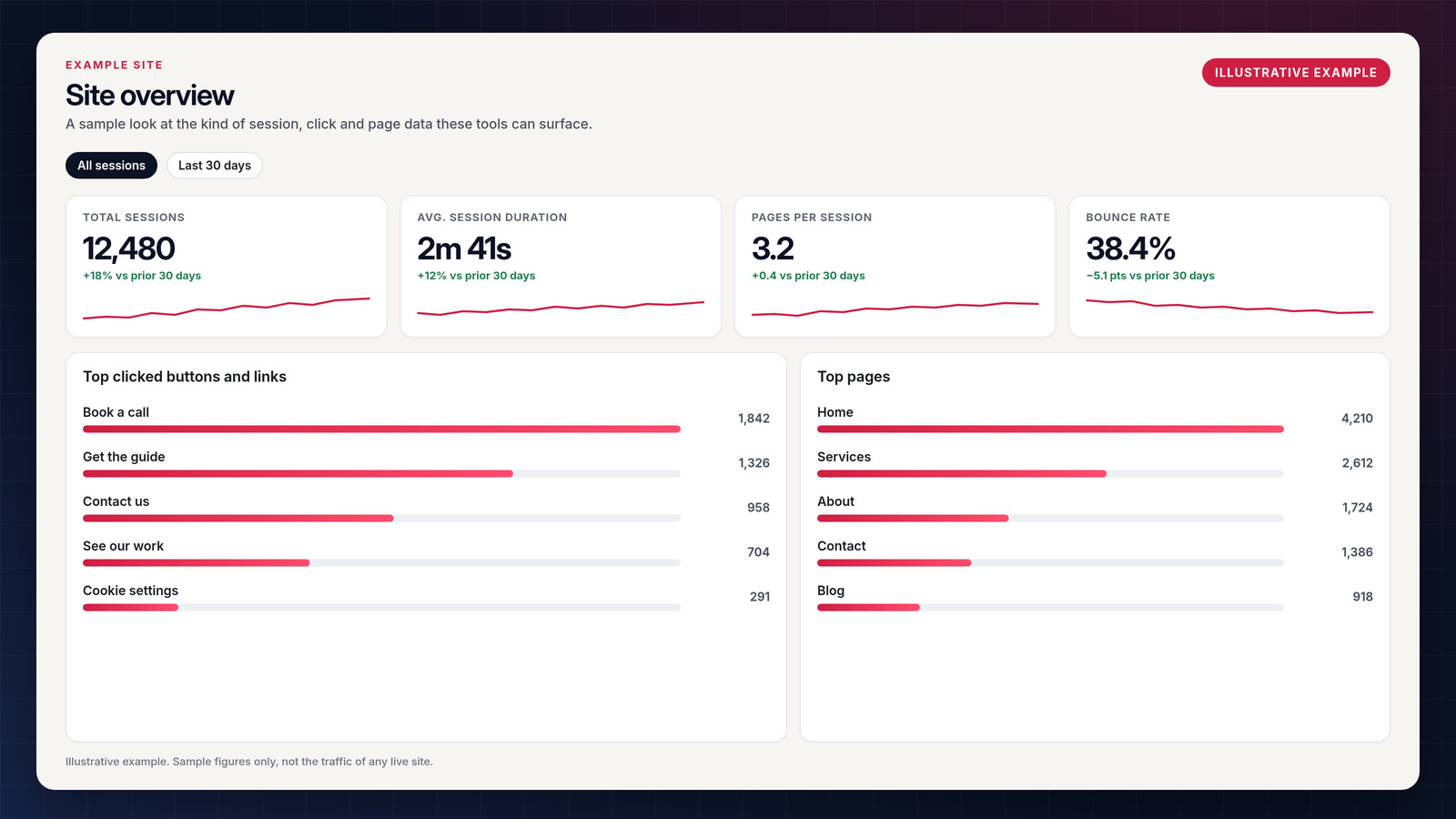
A site overview can bring together sessions, time on the page, pages per visit and bounce rate, so you can see whether people are finding their way or leaving quickly. Top clicked buttons show which calls to action get used. Top pages show where attention goes. Session recordings let you watch a journey and spot friction, such as a form field people skip. Heatmaps show where people click and how far they scroll.
The graphic below is an illustrative example of that kind of overview. The figures are sample data, not the traffic of our site or any other live site.
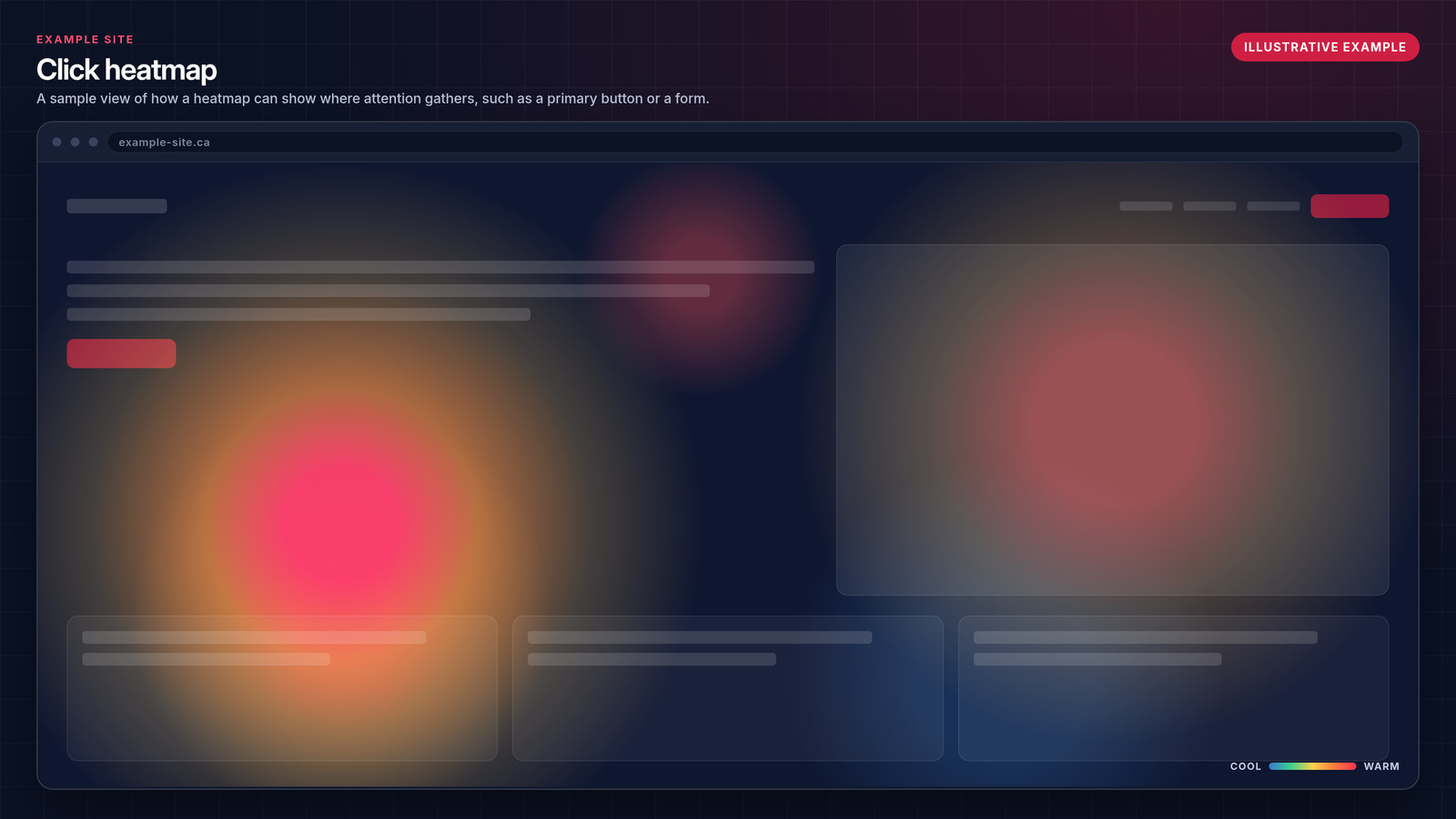
A heatmap makes the same idea visible on the page itself. In the sample below, attention gathers on the primary button.
Privacy settings we use
On 23 November 2026, our CTO, Kaelen Voss, ran a read-only check of the live marketing site. The settings below are for uxfocus.marketing.
Consent comes first. Our marketing site shows a cookie banner on the first visit. You can accept all, reject non-essential cookies, or choose by category. Until someone accepts, non-essential tools are meant to stay off. That is also explained in our privacy policy.
The check confirmed that on a fresh visit. Before anyone clicked the banner, the browser had no cookies, and there were no requests to Google Analytics 4, Hotjar, Clarity or HubSpot. The only earlier third-party request was Cloudflare’s cookieless beacon. After Accept, Hotjar and Clarity both loaded. After Reject, those tools stayed off, and the only cookie set was our own consent cookie. On this site, we do not wait for a visitor’s region to decide. Neither tool loads until someone accepts.
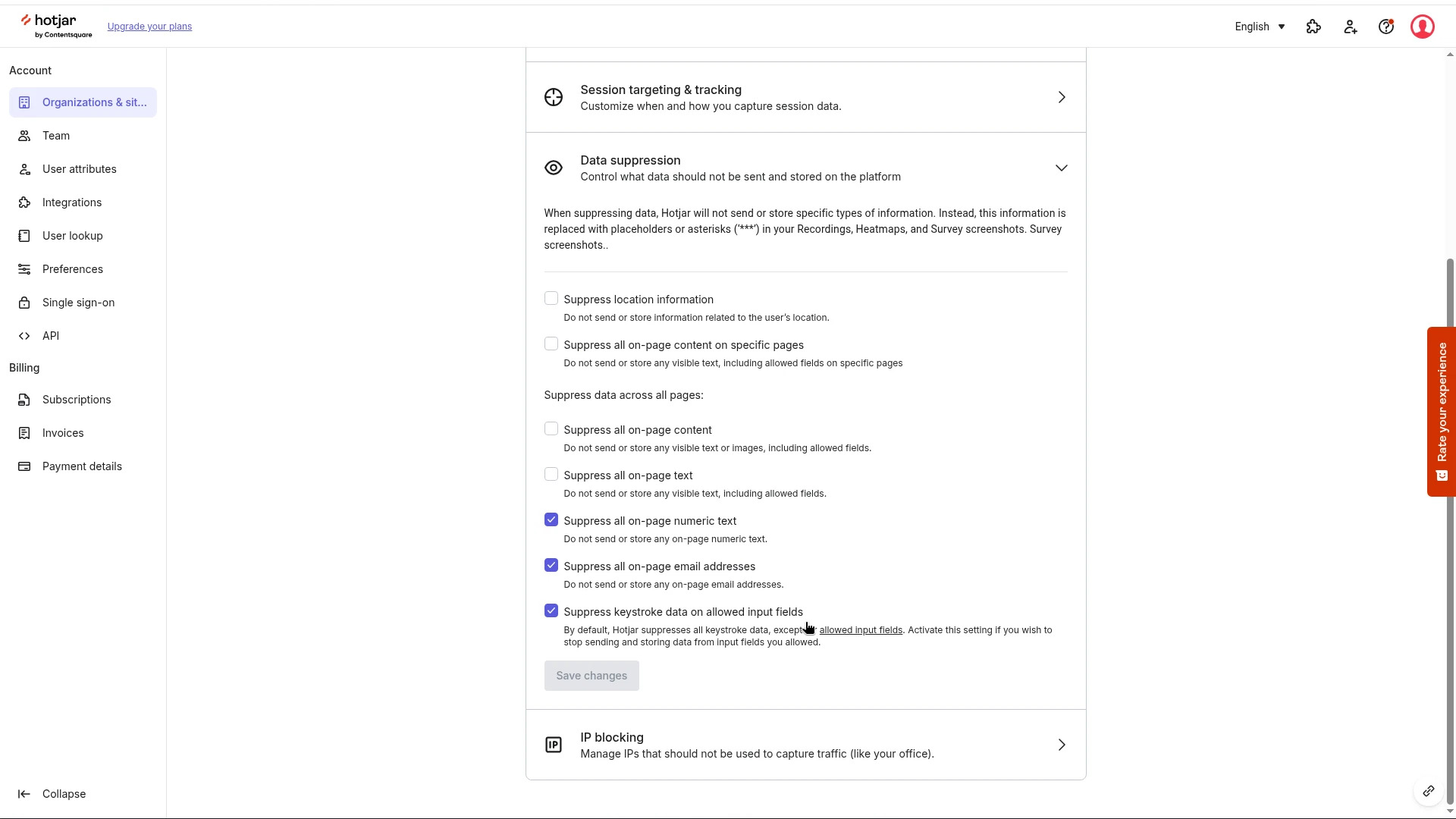
Hotjar is set to record sessions, not keystrokes. In the live Hotjar settings we checked, session recordings are on, keystroke capture is off, and digits and emails are anonymised. No heatmaps and no surveys were listed. Recordings are not sent to HubSpot, even though a HubSpot integration exists on the account. Our Hotjar visitor data is stored in the EU, in Ireland (AWS).
Those toggles matter because most other Hotjar suppression is off until you turn it on, and a change is not retroactive. Checking the settings is part of the install, not an optional tidy-up later.
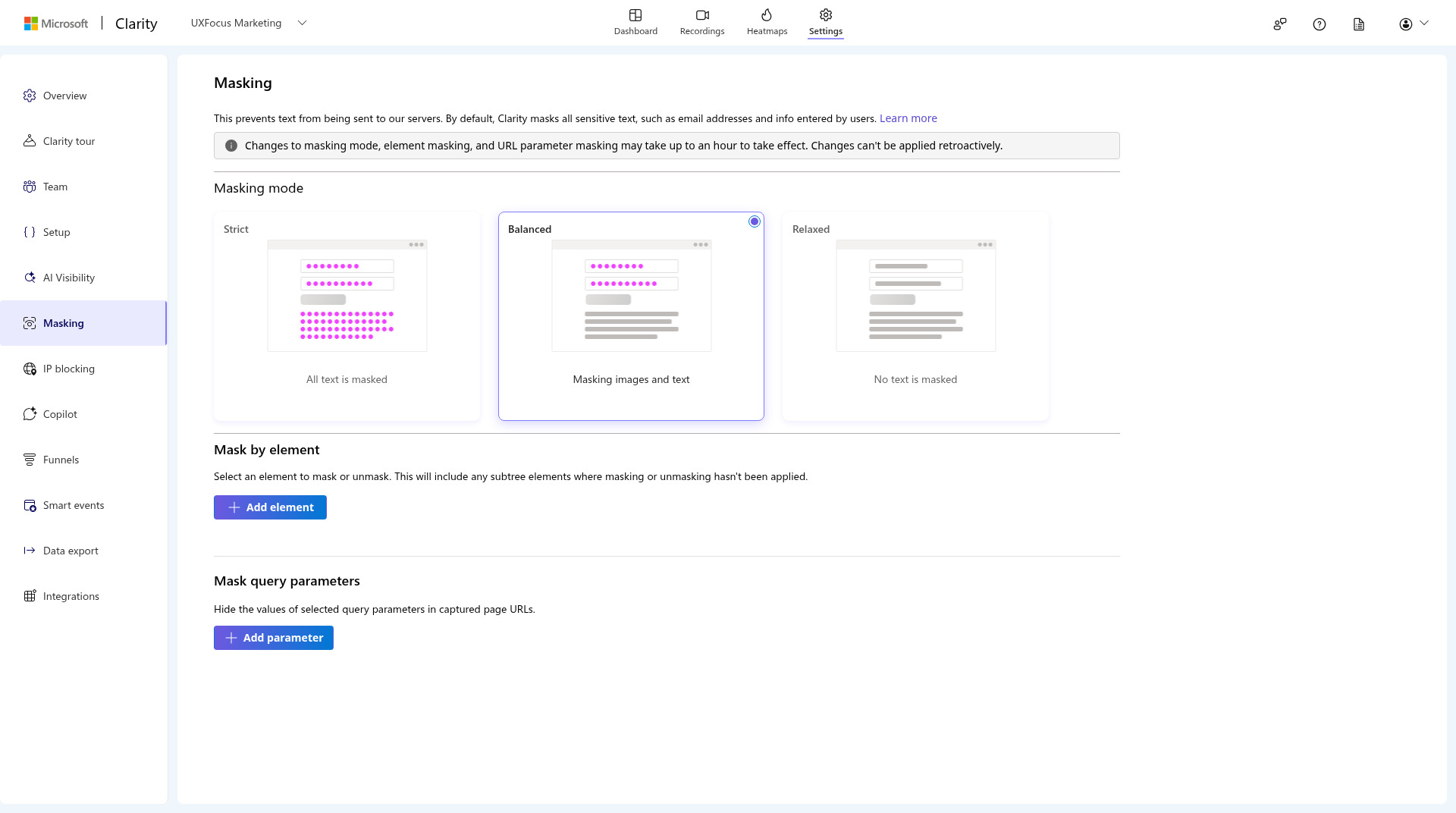
Clarity is set to mask what people type. Microsoft Clarity uses its default Balanced masking on our site. Official documentation says input boxes and dropdowns stay masked in every mode, including Relaxed, and that masked content is never uploaded. On our site, Clarity loads only after analytics consent, and we send Clarity a consent signal so it can respect that choice. We also skip Clarity for signed-in staff who can edit the site, so our own editing sessions are not recorded.
The point of running both is not to declare a winner. It is to see where the defaults help, and where a human decision is still required. Defaults are not the same. Consent is still our job. Storage regions differ, and they can differ by plan — a Canadian business should not assume this data stays in Canada. A setting today is not a setting forever. Tools change owners and defaults, and some official figures, especially retention, vary by plan.
We’re always learning, and we’ll keep checking these settings as the tools change.
A practical checklist you can use this week
You do not need both tools to do this well. You need to know what the one you already have can see.
- Open the masking or suppression settings and confirm what is on. Do not assume the default is enough.
- Put the tool behind your cookie banner, or an equivalent consent tool. On a first visit it should not load before someone accepts, and Reject should keep it off.
- Turn off keystroke capture unless you have a clear reason to keep it on.
- Mask or anonymise emails, numbers, and any form fields that can hold personal information.
- Check where the data is stored, and how long recordings are kept on your plan.
- Check whether recordings are being sent to your CRM or other connected tools.
- Skip recording signed-in staff, if the tool allows it.
- Write down the settings you confirmed, including in your privacy policy, so visitors can see them.
If you want a wider set of checks, our free Zero Trust Checklist has eight sections and 34 plain-English items.
Want a second set of eyes?
If you would like us to look at the digital tools on your site with you, including what heatmaps and session recordings can see, you can get the free Zero Trust Checklist, or book a free 20-minute review.
The review is done by screen share. We do not ask for passwords, and we do not change anything. You leave with a written list of the top five fixes, with no obligation.
Sources
Checked on 23–24 November 2026.
Microsoft Clarity
Hotjar and Contentsquare
- How to suppress collected data
- Session capture and data suppression settings
- Subprocessors and data hosting
- Privacy FAQ
- Pricing
Our practice
- UXFocus privacy policy
- Read-only check of uxfocus.marketing, 23 November 2026, by Kaelen Voss, CTO
Published by UXFocus
A digital marketing agency located in Toronto and the GTA. We build the website, the campaigns and the follow-up as one system, and every guide links to the official source behind its advice.